

Free demo
Industry guide
What the 2029 e-invoicing mandate settles, and what it leaves open.
Download the retail and wholesale guide (PDF, 13 pages)Working demo
A trade order sent as a plain message, read into priced and stock-checked lines before anything is picked.
Open the Order Desk demoReadiness brief
Map the systems, owners and connections one workflow depends on.
Open the automation-readiness briefMost integrations inherit their suppliers' release schedules.
What we do
Your systems should pass work to each other, not through a person.
If someone on your team exports a report every week, reformats it in a spreadsheet and keys it into another system, a person is doing the work of an interface. It shows up as keying errors, orders that wait for someone to be at a desk, and connections that stop without anyone being told. Invoices raise the stakes: on HMRC's published plan, which is not yet law, VAT e-invoicing for business-to-business and business-to-government transactions becomes mandatory from April 2029, and the HMRC and Department for Business and Trade consultation response did not count a PDF, an image or an HTML invoice in an email as an e-invoice.
We map every point where a person carries data between two of your systems, then connect the flows worth connecting through the most stable interface each system supports: a published API first, then webhooks, scheduled file transfers and read-only database access, with screen automation as the last resort.
Every connection we build logs what it sends, retries what fails, holds what it cannot process in a queue a person can replay, and alerts a named owner. Where a feature you already license does the job, or a flow is not worth the upkeep of a connection, the recommendation says so.
The e-invoicing position, September 2026
The April 2029 mandate is HMRC's published plan and is not yet law: no legislation has been published, the implementation roadmap is due at Budget 2026, and the standards and technical specification the mandate will use have not been published. The government named Peppol as the core interoperability network on 23 June 2026 without publishing a specification alongside it. The mandate follows the VAT invoice: the November 2025 consultation response says businesses that are not required to register for VAT, and choose not to, will not be obliged to adopt e-invoicing. Section 67 applies to public contracts under the Procurement Act 2023, which the Act defines to exclude below-threshold contracts. It obliges the contracting authority to accept an undisputed invoice in the required form; it does not oblige the supplier to send one, and the authority may require suppliers to use a particular system. These are references to public documents, not tax or legal advice, and your advisers sign off. Retrieved 19 September 2026.
How we connect the systems you run
Each offering can be bought on its own. Where the order of work is unclear, an integration map comes first, so the first connection built is the flow it ranks highest.

Integration map
List every point where a person carries data between two of your systems: what moves, how often, who moves it and what goes wrong. Rank the flows, name the interface each system supports, and recommend a build route for each: a feature you already license, an integration platform, custom code, or no change.
Includes
- An inventory of manual bridges: source, destination, volume, owner and error types
- The system of record for each shared field, such as customer, price, stock and invoice
- The interface each system supports, and whether your licence tier includes API access
- The personal data each flow carries, for your UK GDPR record of processing
- A ranked list of flows with a recommended build route for each

API and webhook integrations
Connect your systems through the APIs and webhooks their suppliers publish and support, so a change in one reaches the others on the schedule you set. Give each connection its own scoped credentials, and map every field to the system that owns it.
Includes
- OAuth 2.0 or a dedicated service account per connection, with the narrowest scopes the API allows
- Webhook signature checks and idempotency keys against duplicate deliveries
- Rate-limit handling, and tracking of each supplier's API versions and deprecation notices
- Webhook endpoints built to the NCSC's Securing HTTP-based APIs guidance on authentication, input validation and logging
- A log of every message sent and received

File, database and legacy connections
Reach systems with no usable API through scheduled file transfers or read-only database access, after asking the supplier whether API access exists on another tier. Record what each workaround depends on, and check the file layout or table structure on every run, so a change after an upgrade stops the run and raises an alert.
Includes
- Scheduled CSV or XML exchange over SFTP, with record counts checked at both ends
- Read-only database views, set up with the supplier's agreement
- Screen automation only where no other interface exists, labelled as the most fragile option
- A dependency note for each workaround: software version, file layout and owner
- A drafted request to the supplier for API access

Order-to-invoice automation
Turn orders arriving by email, web form, trade portal or spreadsheet into checked lines, stock commitments and draft invoices in your finance system. Hold anything that fails a check in an exception queue, with its reason, for a person to resolve.
Includes
- Order capture from email, web forms, trade portals and spreadsheets
- Price, stock, minimum-order and credit-limit checks before a line is confirmed
- Draft invoices posted to your finance system for approval before they are issued
- An exception queue that records why each order was held and who released it
- A mapping of your invoice fields to BS EN 16931-1:2017, the standard section 67 of the Procurement Act 2023 names for public sector invoices

Shared inbox and document triage
Turn the messages in a shared inbox into owned actions, with the sender, the request and the due date extracted and shown to a person to confirm before anything is sent. Keep the routing rules in a form the team can read and change.
Includes
- Mailbox access through your mail system's API, scoped to the named shared mailbox where the mail system allows it
- Extraction of sender, request, reference and due date, with each field shown to the reviewer
- Routing rules held as a readable table the team maintains
- A hold for messages with no clear owner or with information missing
- A record of every action, who confirmed it and when

Monitoring and failure handling
Make every integration report its own failures: retries with back-off, a queue of failed messages a person can replay once the cause is fixed, and an alert to a named owner in your team. Keep a runbook that says what each alert means and what to check first.
Includes
- Retries with exponential back-off and a retry limit
- A dead-letter queue, with replay once the cause is fixed
- Alerts routed to a named owner in your team, with an escalation contact
- Reconciliation checks that compare record counts between connected systems
- A runbook per connection, and a scheduled summary of held, replayed and failed messages sent to the owner
What you get
What the connections log
- Your team enters an order, contact or invoice once, in the system that owns it, and the connection carries it to the others.
- Each connection records every message it sent, every message it held, and who was alerted when it failed.
- Name the system of record for each shared field, and keep a written note of what every workaround depends on.
The levels
The interface ladder
We connect each system through the highest rung it supports. Each step down leans more on something the supplier has not promised to keep stable, so it costs more to keep running, however quickly it starts.
- 1
Supported API
A published, versioned interface the supplier documents and supports, authenticated with OAuth 2.0 or a service account. Changes arrive with notice and a new version number.
Lowest upkeep: watch the supplier's deprecation notices and move before an old version is switched off.
- 2
Webhooks
The supplier's system pushes an event when something changes, such as a new order or a paid invoice. Pair webhooks with the API, because a missed delivery has to be caught by a reconciliation call.
Low upkeep: an endpoint to host, signatures to check and duplicate deliveries to ignore.
- 3
Scheduled file transfer
A CSV or XML export collected on a schedule, usually over SFTP, and imported at the other end. For VAT records kept under Making Tax Digital, HMRC's VAT Notice 700/22 lists XML and CSV import and export among the digital links it accepts.
Moderate upkeep: data is only as current as the last run, and a changed column order can break the import.
- 4
Read-only database access
A view onto the system's own database, used only with the supplier's agreement and never to write. It suits older systems with no API and no export.
High upkeep: an upgrade can rename a table without notice, and the supplier may treat direct access as outside its support.
- 5
Screen automation
Software that operates the system's own screens as a person would, clicking and typing. The last resort, used only where no rung above exists.
Highest upkeep: a moved button or a renamed field can stop it, so it needs the closest monitoring of any rung.
- 6
Re-keying by hand
A person reads one system and types into another. This is the rung the work replaces. For VAT records kept under Making Tax Digital, HMRC's VAT Notice 700/22 does not accept copying information over by hand between the software that holds them, and does not count cut and paste or copy and paste as a digital link.
No build cost. The cost sits in staff hours, keying errors and work that waits for someone to be at a desk.
The rung is chosen per system, not per project: one integration can read an API at one end and deliver a scheduled file at the other.
How it runs
From manual bridge to monitored connection
- 01
Map the flows
List each place a person moves data between systems: what moves, how often, who moves it, and what it costs when it arrives late or wrong.
- 02
Choose the first connection
Rank the flows by errors and staff hours, pick the rung of the interface ladder each system supports, and decide between a feature you already license, an integration platform and custom code.
- 03
Build and run in parallel
Build the connection with logging, retries, a replay queue and alerts in the first release, and run it alongside the manual process until the two sets of records match.
- 04
Hand over and decide the next
Hand over the runbook, the dependency notes and a list of every credential the connection uses, then decide with you whether the next flow on the map is worth connecting.
Read and try
Read the research. Open the demo.
Industry guide
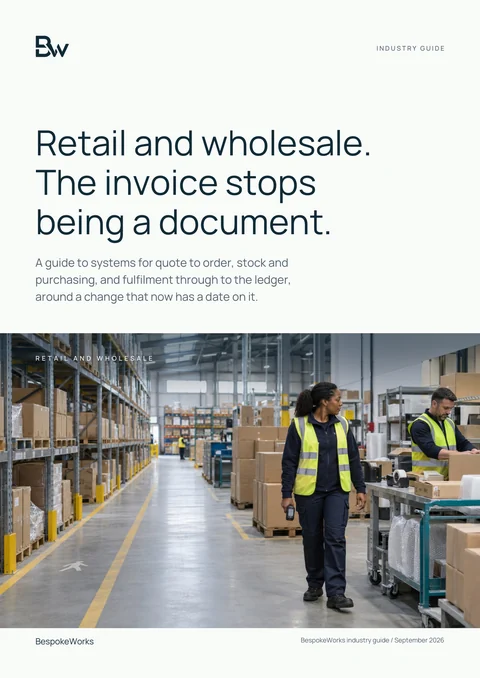
Retail and wholesale: a practical technology guide
It sets out what the 2029 e-invoicing mandate settles and what it leaves open, and follows one fictional trade order from quote to ledger, including what has to unwind when a delivery is not as ordered.
Download the retail and wholesale guide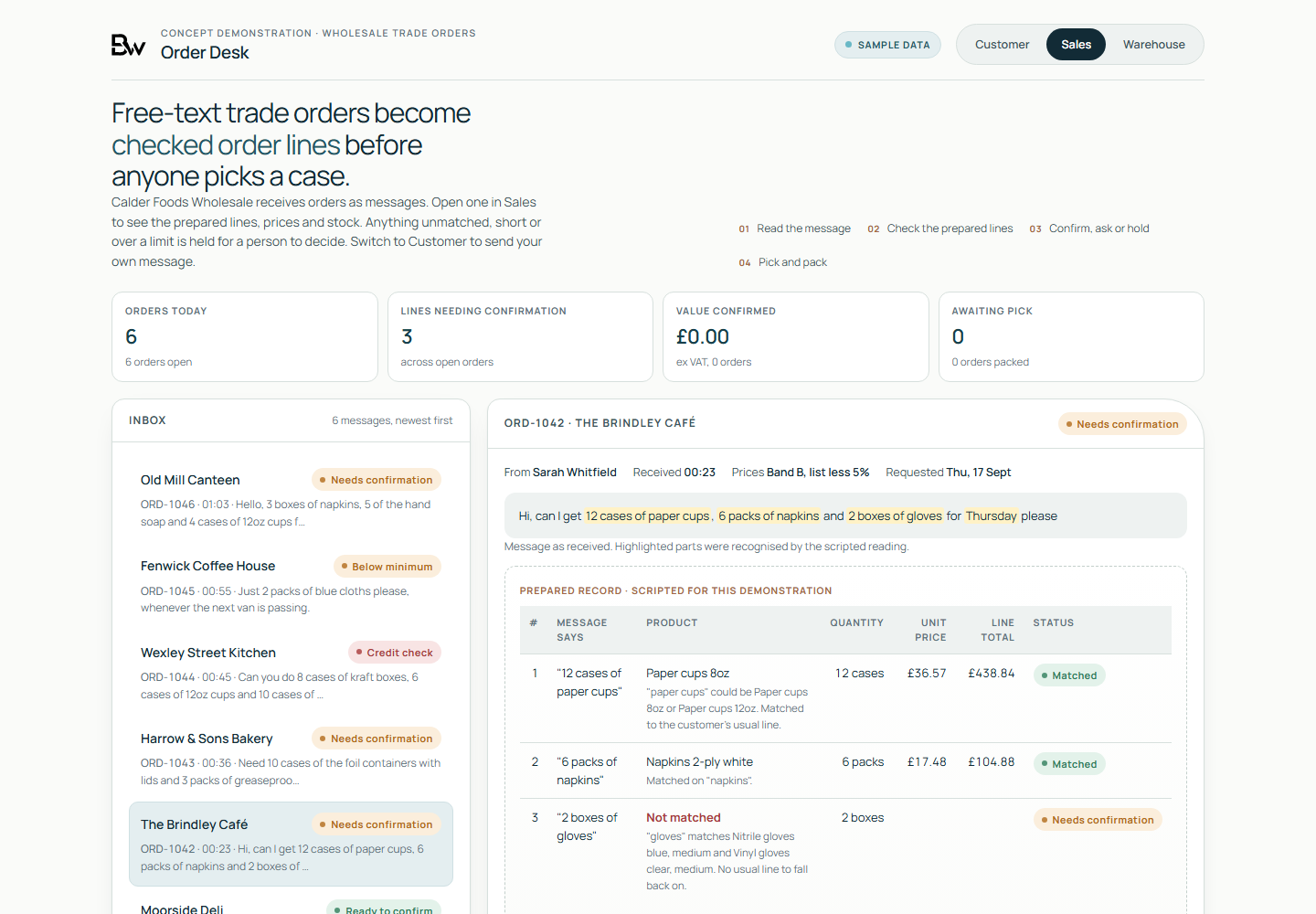
Working demo, on sample data
- A trade order sent as a plain message, read into priced, stock-checked lines before anything is picked.
- The same order followed from the customer's message through Sales to the warehouse.
- What holds when a product is ambiguous, stock is short or a credit limit is reached.
Worth asking first
- What gets exported, reformatted and keyed into another system every week, and by whom?
- Which system is the record when two of them disagree about a customer, a price or a stock level?
- What happens today when a connection fails, and who finds out first?
- Which of your systems publish a supported API, and does your licence tier include it?
- Can your finance system issue an invoice that the customer's system reads without anyone retyping it?
Talk to us if
- Your team re-keys orders, bookings or timesheets from one system into another.
- A supplier's upgrade broke an export, and nobody noticed until month end.
- Your integrations run under a former employee's login or a shared password.
- You supply the public sector and want invoices its systems can process without retyping.
- You pay for an integration platform whose flows were never written down.
- Customers chase orders your staff cannot see, because the status sits in another system.
Questions
Questions buyers ask
Do you build on low-code and integration platforms?
Yes, where the flow is simple, the volumes suit the licence and the platform is one you already pay for. Where a flow needs complex logic, high volumes or code you own outright, we write custom code. Either way, the licence cost, the lock-in and what it would take to leave are written down before anything is built.
What if one of our systems has no API?
We ask the supplier first, because API access is sometimes available on another licence tier or on request. If it is not, we use scheduled file transfers or read-only database access with the supplier's agreement, and screen automation only as a last resort. Each workaround comes with a written note of what it depends on.
Can you make us ready for e-invoicing in 2029?
We can map your invoice data to BS EN 16931-1, the standard section 67 of the Procurement Act 2023 names for public sector invoices, connect your order and finance systems so invoices are not retyped, and list the questions to put to your finance software supplier. We cannot certify compliance, and HMRC has not yet published the standards or technical specification the 2029 mandate will use: it has committed to do so by the end of 2027 to 2028. Your accountant or tax adviser signs off the VAT position.
Who maintains an integration after handover?
Whoever you choose. The code, the configuration and the credentials sit in accounts your organisation controls, and the runbook and dependency notes are written for whoever maintains them next: your own team, another supplier, or us under a support arrangement.
What about personal data moving between systems?
A connection that moves personal data changes where that data goes, so it belongs in your record of processing activities under UK GDPR Article 30 and, where a supplier processes it for you, in a contract that meets Article 28. We document which fields each connection carries and leave out the ones it does not need. Your data protection lead or adviser decides what the records and contracts must say.
Start with a map of what you move by hand.
An integration map lists every place a person moves data between your systems, the interface each one supports and the order in which we would connect them.
Request an integration map