

Free demo
Industry guide
What the courts, the SRA and the judiciary have published on AI in professional work
Download the professional services guide (PDF, 13 pages)Industry guide
The CQC's AI principles and NHS England's ambient scribing guidance, with sources
Download the care services guide (PDF, 13 pages)Working demo
A record held until every unsupported statement is resolved
Open the Notes to Record demoDifferent roles. Useful AI for each.
What we do
Optimise the work, not just the prompt.
The same AI demonstration cannot serve a developer reviewing code, a manager preparing a decision paper and an employee answering a customer. Each task needs different sources, constraints and checks.
We map recurring tasks with each team, practise with the tools you approve and compare the result against the original method. Participants keep reusable instructions and review routines. Where agreed, we build a starter custom skill or business chatbot together and teach its owner how to test and update it.
Sessions by role
Choose the teams taking part. Each session uses their tasks and suitable sample documents, with the quality checks, permissions and responsibilities their work needs.

Employees and team managers
Turn everyday emails, meeting notes, research and reports into repeatable AI-assisted workflows.
Includes
- Brief with purpose, context and an agreed output
- Work from approved documents and verify sources
- Save reusable instructions for common tasks
- Review the output before sharing it
- Compare quality and effort with the original workflow

Software developers
Use AI to understand code, implement changes, write meaningful tests and review work while protecting source code, secrets and personal data.
Includes
- Brief a coding assistant with repository context and acceptance criteria
- Review diffs and test behaviour before merging
- Keep secrets and restricted data out of prompts and logs
- Check dependency, licensing and security implications
- Practise data minimisation, access controls and escalation for legal review

AI for bids and proposals
Draft, check and tighten tender responses against the question and its published scoring criteria, with every claim traced to your own evidence. Build a library of approved answers the bid team can reuse, and prepare for tenders that ask how AI was used.
Includes
- Answers structured against the question wording, the word limit and the scoring criteria
- An evidence library of approved answers, policies, accreditations and CVs, each with an owner and a review date
- The AI disclosure questions buyers may add under Procurement Policy Note 017, and how to answer them
- Rules for confidential buyer documents in AI tools, including PPN 017's control against using them as AI training data
- A scoring review by a second reader before submission

AI for finance teams
Use AI for variance commentary, reconciliation exception notes and supplier query replies, with every figure recalculated in the spreadsheet and never taken from the chat. Set the rules for which financial and personal data goes into which tool.
Includes
- Month-end variance commentary drafted from figures the team has already reconciled
- Reconciliation exception notes and supplier query replies written from the ledger record
- A recalculation check for every number in an AI-assisted draft
- Spreadsheet formulas suggested by AI, tested against a worked example before use
- Data rules for bank details, payroll and customer records in AI tools

AI for HR and people teams
Draft job descriptions, adverts, policies and interview questions, and learn where special category data and the Equality Act 2010 stop the tool. Check recruitment text for wording that could exclude a protected group before it is published.
Includes
- Job descriptions and adverts checked against the nine protected characteristics in the Equality Act 2010
- Rules for special category data under UK GDPR Article 9, including health and sickness records
- Disciplinary and grievance letters drafted against the Acas Code of Practice, with the decision left to the manager
- The questions raised by the ICO's audit outcomes report on AI tools in recruitment, November 2024
- Policy drafts compared clause by clause with your current handbook

AI for housing and customer service teams
Draft complaint responses, case summaries and resident letters from the case record, in your organisation's tone, and check them against policy and the record before sending. Keep every date and commitment to what the repairs system shows.
Includes
- Complaint responses checked against the Housing Ombudsman's Complaint Handling Code, statutory since April 2024
- Awaab's Law written summaries drafted from the investigation record, against the periods in SI 2025/1042
- Case summaries that flag missing information instead of filling it
- A tone and plain English check for letters to residents
- The Housing Ombudsman's artificial intelligence complaint category, added in 2025-26 under Information and Data Management

AI for care coordinators
Summarise referrals and visit notes, prepare handovers and flag missing information, using the CQC's published AI principles as the checklist. Keep every output administrative, with care decisions left to the staff accountable for them.
Includes
- Referral and visit-note summaries checked statement by statement against the source note
- Handover notes that flag gaps and conflicts for the coordinator
- The CQC's principles for providers using AI, including human oversight and AI readiness and training
- NHS England's guidance on AI-enabled ambient scribing products, including the DPIA it requires before deployment
- Rules for health information as special category data under UK GDPR Article 9

AI for legal and professional services teams
Research, draft and summarise with the verification steps the courts and the SRA now expect, after invented citations reached the High Court. Record each check so a supervisor can see what was verified, by whom and when.
Includes
- A citation check: every authority opened at source and read for the proposition it is cited for
- The SRA's Misuse of AI warning notice of 17 August 2026 and the safeguards it expects before client information goes into an AI tool
- Ayinde v London Borough of Haringey [2025] EWHC 1383 (Admin) and the judiciary's AI guidance of 31 October 2025
- A file note template recording the tool, the reviewer and the date
- Supervision routines for trainees and paralegals who use AI
What you get
What each role leaves with
- A practical AI workflow for the recurring tasks in each participating role.
- Reusable skills, prompts and checklists with a named owner.
- A review method that considers quality, time spent checking and suitability, without assuming every task improves.
Before and after
One task per role, with its check
Six sample tasks, written for this page on sample data. Each shows faults an AI draft can carry, then the same task once the role's own check is applied. The check is what the session teaches.
Bids: a quality question with a word limit
Today: The draft answers the question as the tool read it, runs past the word limit and promises a response time nobody in the business has agreed.
With the check: The answer is rebuilt against the scoring criteria, each claim points to an entry in the evidence library, the word count is checked and the tender's AI disclosure question is answered as asked.
Finance: month-end variance commentary
Today: The commentary explains a rise in overheads using percentages the tool worked out from a pasted table, and one of them does not match the ledger.
With the check: Every figure is recalculated in the spreadsheet, the commentary names the account codes it describes, and AI drafts only the explanation around the checked numbers.
HR: an advert for a warehouse supervisor
Today: The draft asks for someone to join a young, energetic team and requires a driving licence the role does not need.
With the check: The advert is checked against the protected characteristics in the Equality Act 2010, every requirement is traced to a duty in the job description, and no employee record went into the tool.
Housing: a stage 1 complaint about damp
Today: The draft apologises warmly, gives a repair date the contractor has not confirmed and does not mention the investigation.
With the check: The response is drafted from the case record, every date is checked against the repairs system, and the officer checks it against the Complaint Handling Code before signing it off.
Care: a handover summary from visit notes
Today: The summary reads cleanly, but it records a refused meal as eaten and leaves out a note that the client's daughter asked for a call.
With the check: Each statement is checked against the visit note it came from, gaps and conflicts are flagged for the coordinator, and care decisions stay with the staff accountable for them.
Legal: a research note citing six authorities
Today: The note cites six cases in the correct format. Two do not exist, and a third is real but does not say what the note claims.
With the check: Every authority is opened at source and read for its proposition, the check is recorded in a file note with the tool, the reviewer and the date, and no client document went into a public tool.
Sample tasks on sample data, written to show the method a session teaches. They describe no organisation and report no results.
How it runs
Building a session around one role
- 01
Choose the role and its tasks
Name the role, list its recurring tasks and pick the few where a draft, a summary or a check takes the most time. Confirm which AI tools and accounts your organisation has approved.
- 02
Collect the documents and the rules
Gather the role's templates and example outputs, with personal and client data removed or replaced, and the rules its reviewers apply: scoring criteria, a code of practice, a regulation or a house style.
- 03
Work the tasks in the session
Run each task in the approved tool, then check the output against its source, its rule or its calculation. Keep the prompts and checks that held up and drop the ones that did not.
- 04
Hand over the library
Write up the prompts, check sheets and file-note templates the team produced, store them where the team works, and name who keeps them current.
Read and try
Read the research. Open the demo.
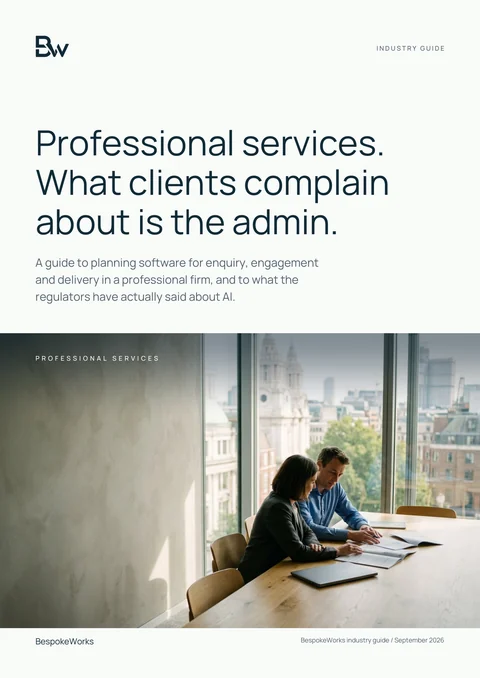
Industry guide
Professional services: a practical technology guide
It sets out what the courts, the SRA, the Bar Standards Board and the judiciary have published on AI in professional work, the reading behind the legal and professional services session. Each other role tab links the sector guide nearest to its rules.
Download the professional services guide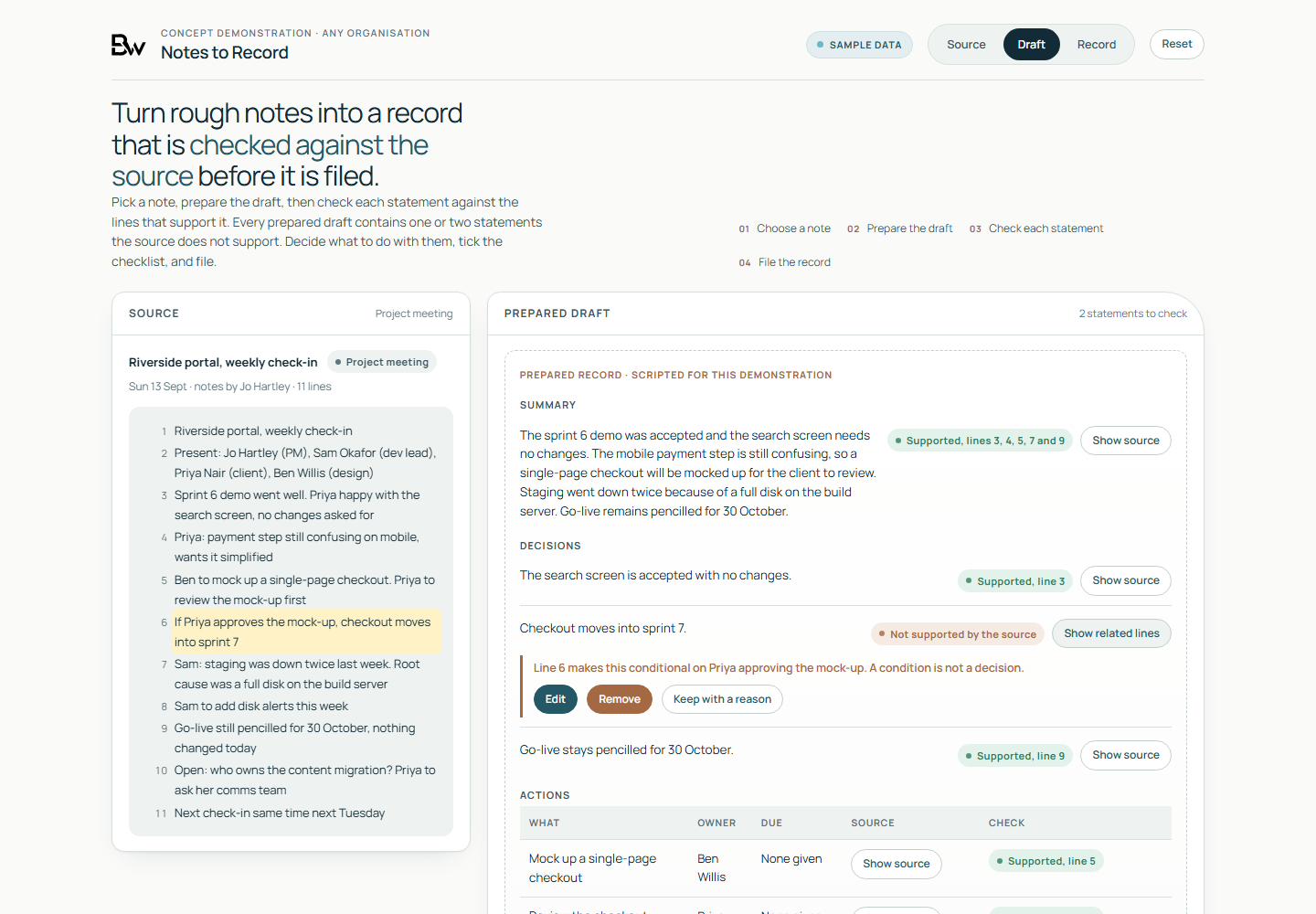
Working demo, on sample data
- A prepared record of decisions, actions and open questions beside the numbered lines of the sample note it came from
- A statement flagged where the numbered source lines do not support it, such as a condition written as a decision or an action given to the wrong owner
- Filing held until each flag is edited, removed or kept with a reason. The drafts are scripted and no language model runs.
Worth asking first
- Which tasks take the most repeated effort in each team?
- How will the team check whether AI improved the result?
- Which documents, code and data may the approved tool receive?
- Who will maintain shared prompts, skills and chatbots?
Talk to us if
- Staff have an AI subscription but struggle to use it consistently.
- Managers want better research, planning and reporting workflows.
- Developers use coding assistants and need a shared review and security method.
- Your teams want reusable skills and a chatbot grounded in approved business material.
Questions
Questions buyers ask
Can you train developers as well as non-technical teams?
Yes. Developer exercises cover coding assistants, repository context, testing, code review, secrets and data handling. Employee sessions focus on documents, communication, research and other recurring tasks.
Do you measure productivity gains?
We can compare a representative task before and after, including the time spent checking and correcting the output. Results depend on the task, tool and team; we do not promise a fixed saving.
Can a skill be tailored to our business?
Yes. We can define reusable instructions, approved reference material, output formats and checks around a business task. The format depends on your platform and the scope agreed with you.
Who approves use of personal data?
Your organisation decides which tools and uses are approved, with its data protection lead and advisers. Exercises use sample material wherever live information is unsuitable.
One general course cannot serve every role.
We build each session from one role's recurring tasks and the rules its reviewers apply, and the team keeps the prompts and check sheets it writes.
Discuss a role session